
TL;DR:
- AI is essential for remote small businesses to improve efficiency and competitiveness.
- It automates routine tasks like email triage, meeting summaries, and appointment scheduling.
- Proper implementation and ongoing review are crucial to avoid pitfalls and maximize benefits.
Running a remote business with a small team is genuinely hard work. You’re managing clients, handling queries, chasing admin, and trying to grow, all at once. Many small business owners assume AI is a luxury reserved for large enterprises with deep pockets and dedicated tech teams. That assumption is costing them time, clients, and competitive ground. This article sets the record straight. You’ll discover why AI has become essential for remote UK businesses, how it solves specific operational headaches, and the practical steps you can take to start benefiting today.
Table of Contents
- Why remote businesses need AI now
- How AI transforms operational efficiency for small remote teams
- AI and customer service: creating seamless support for remote clients
- Pitfalls and productivity paradoxes: what to watch for
- A realistic look: what most guides miss about AI for remote small businesses
- Take the next step: transforming your remote business with AI
- Frequently asked questions
Key Takeaways
| Point | Details |
|---|---|
| AI boosts productivity | AI allows remote businesses to automate repetitive tasks, freeing time for valuable work. |
| Better client service | AI enables faster and more consistent customer responses, even for small teams. |
| Start with simple wins | Automate basic admin and customer service processes for the quickest return. |
| Human touch still matters | AI enhances business performance but cannot replace real relationships with customers. |
Why remote businesses need AI now
With these misconceptions in mind, it’s crucial to understand why AI has become indispensable for remote businesses.
Remote businesses operate differently from traditional office-based firms. There’s no receptionist to field calls, no office manager to sort the post, and no colleague down the hall to handle an overflow of enquiries. For small teams of one to five people, every hour spent on repetitive admin is an hour not spent on client work or business development.
The reality is stark. Manual processes like manually triaging emails, typing up meeting notes, and manually booking appointments create a constant drag on productivity. As your business grows, these tasks multiply faster than your capacity to handle them. Traditional methods simply don’t scale.
Here’s what AI actually offers remote small businesses right now:
- Automated email triage so urgent messages never get buried
- Meeting summaries generated instantly, removing the need for manual note-taking
- Appointment scheduling handled without back-and-forth messaging
- 24/7 call handling so you never miss a lead, even outside office hours
- Instant FAQ responses for common client questions
As AI trends for SMBs confirm, small businesses adopting AI tools are seeing real efficiency gains across these exact areas. The tools are no longer experimental. They’re practical, affordable, and designed with small teams in mind.
What’s changed is accessibility. A few years ago, deploying AI required a software developer and a significant budget. Today, subscription-based AI tools start at a few pounds per month, and many integrate directly with software you already use. Understanding AI in small businesses reveals just how wide the range of options has become for UK operators.
AI automates repetitive tasks in remote operations like email triage, meeting summaries, and task prediction, reducing handoffs and enabling deep work for teams of any size.
The bottom line is simple. Remote businesses that embrace AI now will operate with the efficiency of a much larger team, without the overhead.
How AI transforms operational efficiency for small remote teams
Now that the urgency is clear, let’s look at the practical impact AI can make on everyday tasks.
The difference between a manual workflow and an AI-enabled one isn’t just time saved. It’s the quality of your attention. When routine tasks are handled automatically, you and your team can focus on the work that actually drives revenue.
Manual vs AI-enabled workflows
| Task | Manual process | AI-enabled process |
|---|---|---|
| Email triage | 30-45 mins daily | Sorted and flagged in seconds |
| Meeting summaries | 20-30 mins per meeting | Auto-generated instantly |
| Appointment scheduling | 10-15 mins per booking | Automated, 24/7 |
| Client FAQ responses | 5-10 mins per query | Instant automated reply |
| Call handling | Requires staff presence | AI agent available around the clock |
The savings add up quickly. For a solo operator or a two-person team, reclaiming just one hour per day translates to over 250 hours annually. That’s more than six working weeks returned to your business.
Here are the four operational pain points AI solves most effectively for remote micro-businesses:
-
Email triage and prioritisation. AI scans incoming emails, categorises them by urgency and topic, and flags those needing your personal attention. You stop spending the first hour of every morning wading through your inbox.
-
Meeting summaries and action points. AI tools connected to your video conferencing platform automatically transcribe calls, extract key decisions, and create action lists. No more scrambling for notes after a client meeting.
-
Appointment scheduling. An AI scheduling assistant checks your calendar, confirms availability, and books appointments directly. The back-and-forth email chain disappears entirely.
-
Basic customer service and enquiry handling. An AI agent can answer common questions, collect client details, and even qualify leads before passing them to you. This is particularly powerful for businesses that receive frequent, similar enquiries.
For a practical view of how this works day-to-day, explore AI for admin efficiency or browse AI automation examples specific to UK small businesses.
Pro Tip: When selecting AI tools, prioritise those that integrate natively with your existing software, such as your CRM, calendar, or email client. A smooth integration means faster setup and fewer technical headaches.
A brief example illustrates this well. Imagine a client sends an enquiry at 9 pm on a Tuesday. Without AI, that message sits unanswered until Wednesday morning. With an AI agent in place, the client receives an instant, accurate response, their details are captured, and an appointment is offered in your next available slot. By the time you check your inbox the following morning, the lead is qualified and booked. That’s a genuine business advantage.
AI and customer service: creating seamless support for remote clients
Efficient operations are just one side; delivering excellent customer service is where AI really shines for remote businesses.

Customer expectations have risen sharply. People expect fast responses, accurate information, and polite interactions, regardless of what time they reach out. For a small remote team, meeting those expectations manually is a significant challenge.
Customer service: before and after AI
| Metric | Without AI | With AI |
|---|---|---|
| Average response time | 4-8 hours | Under 2 minutes |
| Out-of-hours coverage | None | 24/7 |
| FAQ resolution rate | Dependent on staff | 80-90% automated |
| Consistency of responses | Variable | Consistently accurate |
| Appointment booking | Manual, delayed | Instant and automated |
These are not theoretical numbers. They reflect what businesses experience when they implement well-configured AI agents for customer-facing communication.
AI is particularly effective across three customer service channels:
- Live chat on your website, where an AI agent handles initial queries, qualifies visitors, and escalates complex issues to you
- Call handling, where an AI voice agent answers calls in a natural tone, responds to common questions, and books appointments without requiring your presence
- Email response, where AI drafts or sends replies to routine enquiries automatically
Improving business communication with AI means your clients experience consistent, prompt service at every touchpoint. That consistency builds trust, and trust builds long-term client relationships.
It’s important to keep expectations grounded. Research suggests only 2.5% of complex remote work tasks are fully automated today. AI excels at handling the high volume of routine, predictable interactions, not the nuanced, complex cases that genuinely require human judgement.
For remote businesses, that’s still a massive win. The vast majority of inbound client queries are routine. Freeing yourself from those means you’re available and sharp when a client needs real expertise. Read the AI answering service guide for a detailed breakdown of how UK small firms are using this today.
Key tools worth exploring for small remote businesses include:
- AI voice agents for call handling and appointment booking
- AI chatbots configured with your specific FAQ database
- Email automation platforms with AI-driven categorisation
- Scheduling assistants that connect directly to your calendar
Pitfalls and productivity paradoxes: what to watch for
Despite the clear advantages, not all that glitters is gold. Here’s what small businesses need to know before diving in.
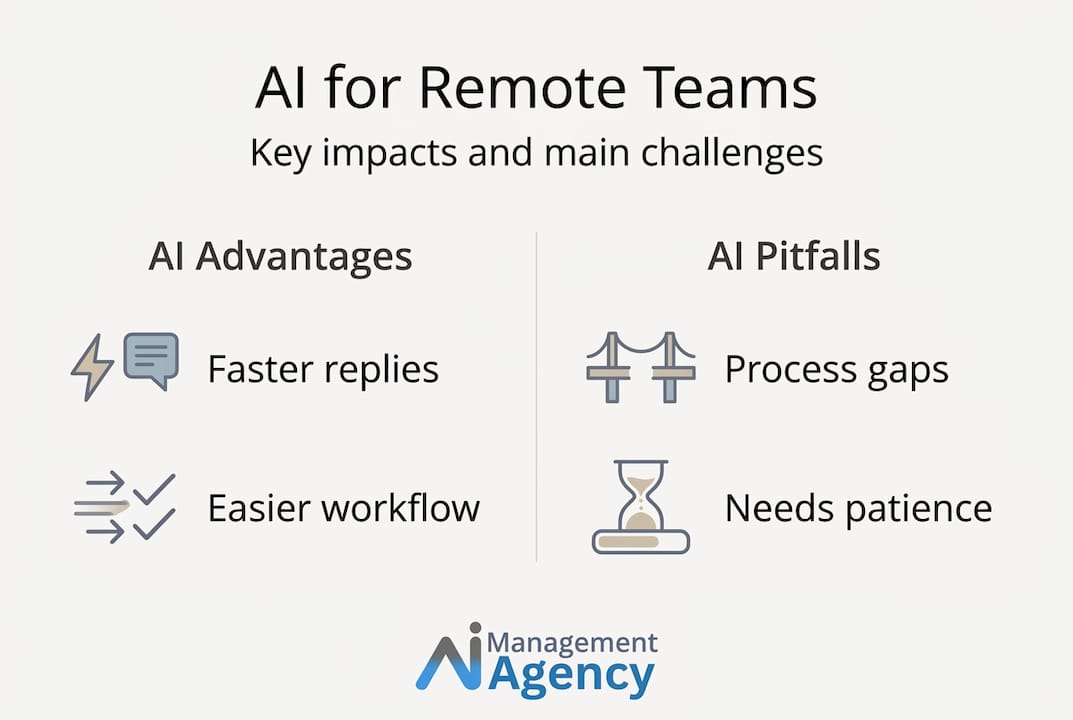
AI adoption isn’t a plug-and-play solution that fixes everything overnight. There are genuine risks, and the most successful businesses are those who approach implementation with clear eyes.
The productivity paradox is worth understanding. Research cited in AI productivity for remote employees shows that while AI can enable deeper, more focused work, it can also create a sense of heavier workloads if implemented poorly. When automation generates more tasks, notifications, and outputs to review, it can add friction rather than remove it.
While AI enables deep work and autonomy for remote teams, it can paradoxically make workloads feel more demanding if overused or poorly configured. Current AI agents automate only 2.5% of complex remote labour.
Common pitfalls remote small businesses experience:
- Over-automation. Automating interactions that genuinely need a human touch, such as complaints or sensitive negotiations, can damage client relationships.
- Neglecting the human element. Clients can tell when they’re receiving generic, impersonal responses. If your AI isn’t configured carefully, it can feel cold and off-brand.
- Failure to review AI outputs. AI tools require ongoing monitoring. An AI agent that starts giving inaccurate answers to client queries will erode trust quickly.
- Chasing every new tool. The AI market is noisy. New platforms launch constantly, and not all of them deliver. Spreading your focus across too many tools dilutes the benefit of any single one.
Pro Tip: Set a quarterly review cadence for all AI tools you deploy. Gather feedback from clients and your team, check accuracy rates, and recalibrate settings. AI isn’t a set-and-forget investment.
Smart adoption guidelines for remote business owners:
- Start with one or two high-impact automations rather than overhauling everything at once
- Keep a feedback loop open with clients so you catch problems early
- Monitor for hidden costs, such as subscription fees that quietly accumulate across multiple tools
- Maintain clear escalation paths so clients always know how to reach a real person when needed
Explore AI automation for UK businesses for a practical guide to getting started without overextending. If you’re weighing up the merits of different approaches, AI automation options offers a useful comparison of DIY versus managed AI solutions.
A realistic look: what most guides miss about AI for remote small businesses
Having explored potential pitfalls, let’s dig into the real truths most guides avoid about adopting AI for remote work.
Most articles about AI for small businesses paint an optimistic picture. Fast results, minimal effort, transformational outcomes. The truth is more nuanced, and understanding it will save you time, money, and frustration.
AI won’t fix a broken process. If your client onboarding workflow is disorganised or your communication system is chaotic, an AI tool will amplify those problems rather than solve them. Before automating anything, document the process clearly. Automation should make a good process faster, not make a bad process more efficient at failing.
The businesses we see achieving the strongest results with AI aren’t necessarily the most tech-savvy. They’re the ones who are clear about their goals. They choose two or three specific use cases where AI consistently delivers value, and they execute those well. They’re not chasing every new tool or trying to automate every aspect of their operation. They’re strategic about where automation earns its place.
The human touch is non-negotiable. There’s an assumption in some AI guides that automation and personalised service are mutually exclusive. They’re not. The best-performing AI implementations we see blend automation with authentic human interaction. Your AI agent handles the volume; you handle the relationship. That combination is genuinely powerful.
Patience matters more than most guides admit. There’s almost always a fine-tuning period after deploying an AI tool. Responses need adjusting, FAQs need expanding, and call scripts need refinement. Expect to invest three to six weeks getting a new AI agent to the standard you want. That investment pays back quickly, but it does require your attention upfront.
The guide to AI management for small businesses covers this implementation mindset in depth. It’s the most important reading you can do before committing to a platform.
The remote businesses that thrive with AI are not those who adopt it blindly. They’re the ones who treat it as a capable team member that needs clear instructions, regular check-ins, and honest performance reviews.
Take the next step: transforming your remote business with AI
If you’re ready to unlock the real benefits of AI in your day-to-day business, here’s where to start.
AI offers remote UK businesses a genuine opportunity to operate smarter, serve clients better, and reclaim time for meaningful work. From automating routine enquiries to handling calls around the clock, the tools available today are practical, affordable, and proven.
Our AI agents are built specifically for small businesses that want results without complexity. Whether you need a natural-sounding AI receptionist that answers calls 24/7 and books qualified appointments, or a fully managed AI call handling solution that never misses a lead, we can help. Not sure where to start? Our guide on AI agents vs chatbots explains the difference and helps you choose the right fit for your business. Take the first step today.
Frequently asked questions
Is AI expensive for small businesses?
No. Modern AI tools are more affordable than ever, with pay-as-you-go and subscription options suitable even for micro teams operating on tight budgets.
How can AI help me handle customer emails when I’m a solo operator?
AI can triage and prioritise emails, draft responses, and automate routine client communications, saving solo operators several hours every week.
Can AI entirely replace personal interaction with clients?
No. AI handles routine, predictable tasks well, but complex remote labour and genuine relationship-building still require a skilled human touch.
Which tasks should I automate first?
Start with high-volume, repetitive processes. Email triage, meeting summaries, appointment scheduling, and basic client queries are the highest-impact starting points for most remote small businesses.
Recommended
- Uses of AI in SMEs: boost efficiency with smart tools 2026 – AI Management Agency
- Why use AI phone agents? Boost efficiency 24/7 – AI Management Agency
- Common AI tasks small UK businesses can automate in 2026 – AI Management Agency
- AI in business communication: boost efficiency and response – AI Management Agency